Advanced reports
Which items sell, when you are busy, and how branches compare
Item performance, a heat map, comparisons, CSV and a weekly email.
In Business
How it works
Advanced reports, step by step
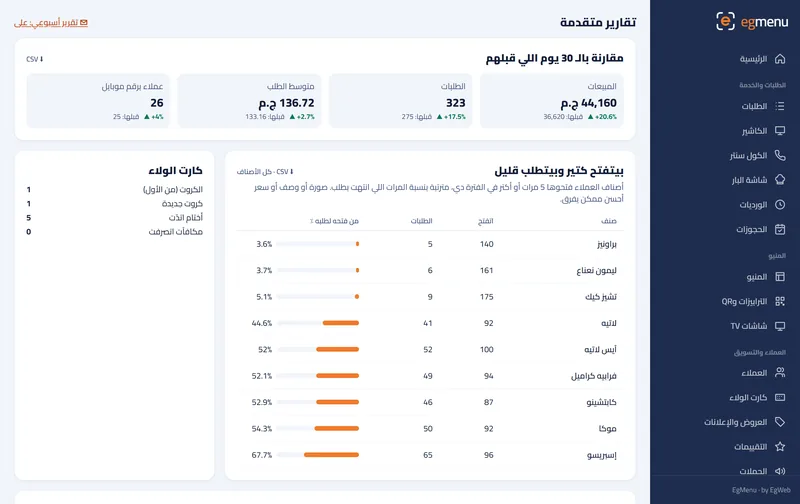
Item performance. Cheesecake: opened often, ordered less. Time for a better photo.
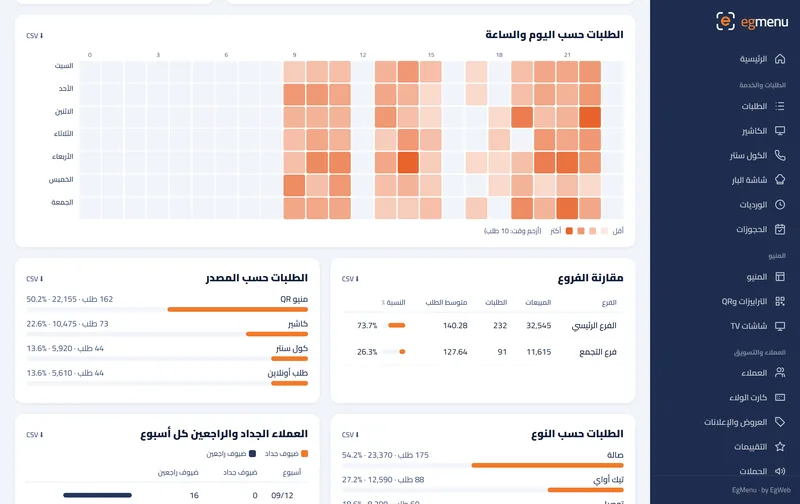
Heat map. Friday evening is the darkest cell.
Compare. This week against last week, side by side.
Weekly email. Monday morning, last week’s numbers in your inbox.
What you get
Item performance
How many guests opened each item against how many ordered it, so you see which photo or price needs work.
Busy-hours heat map
Days against hours on one map: the darker the cell, the busier you were.
Compare
This week against last week, and one branch against another.
CSV and a weekly email
Download any table as CSV, and get last week’s numbers by email every week.
Who is it for
In a cafe like Rosto A great fit
See which drinks are looked at but not ordered, and fix the photo or the price.
In a restaurant like Sofra A great fit
Compare branches and periods before you change the menu or the staff.
Where you get it
- Not included Free Free
- Not included Starter 99 EGP / month
- Not included Basic 199 EGP / month
- Not included Pro 399 EGP / month
- Included Business 799 EGP / month
Questions about Advanced reports
How is this different from the daily reports?
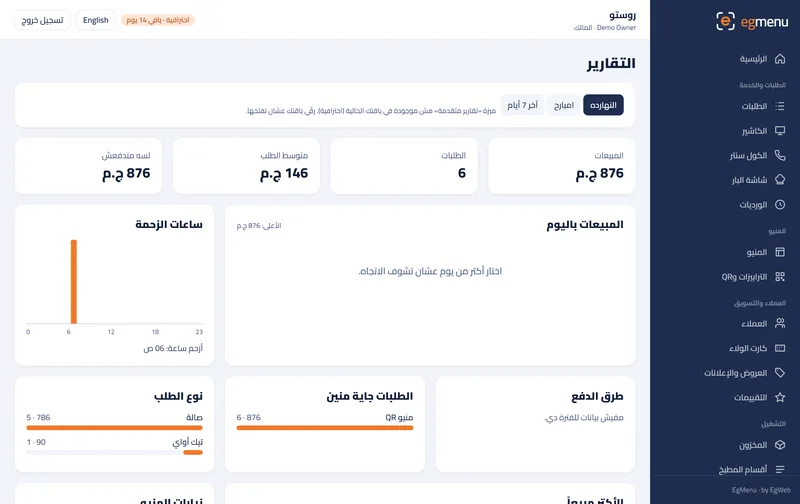
Daily reports show sales, orders, busy hours and best sellers. Advanced reports add item performance, the heat map, comparisons, exports and the weekly email.
Who gets the weekly email?
The owner, once the weekly report is switched on in Settings.
Can I give the numbers to my accountant?
Yes, each table downloads as a CSV file that opens in Excel.